Artificial intelligence tools can now generate code, create components, or produce an interface in minutes. But generating faster doesn't necessarily mean generating better.
With the arrival of tools like Claude or Codex in development workflows, a good Design System must be more than just consistent: it must also be structured and documented well enough to be understood and leveraged by these tools.
Components, variables, usage, or conventions: the clearer the framework, the more consistent the generated interfaces remain with the product.
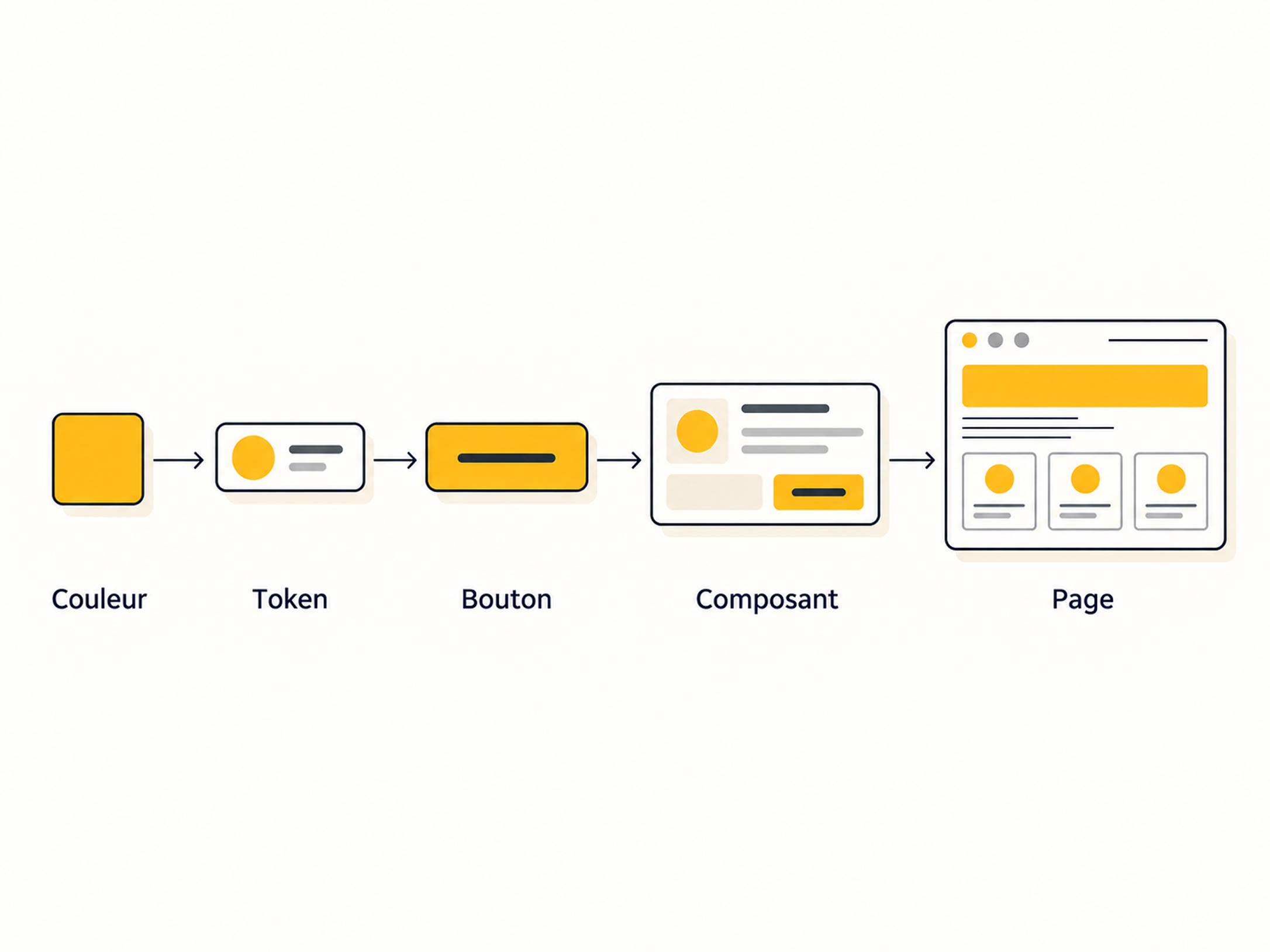
A Design System is not just about defining a few colors, a typeface, and various button styles.
It brings together the rules, components, and conventions that allow for building product interfaces consistently:
Depending on the size of the product, a Design System can contain thousands of variables. But the number of variables is not a goal in itself. The real challenge is having an architecture that is consistent, understandable, and sufficiently precise.
Design tokens, in particular, allow you to link a graphic value to its role in the interface. A color is not just a hex code: it can correspond to a background, text, a border, an error state, or a primary action.
For developers, this framework reduces repetitive decision-making. When a new page needs to be created, there is no longer a need to redefine the appearance of a component or how a form should behave every single time.
An AI can easily generate an interface. But without precise context, it largely has to guess how that interface should be built.
Without explicit rules, the agent risks reinterpreting the system with every new request, producing interfaces that gradually drift away from the product's conventions.
This is what can contribute to that impression of "AI slop": interfaces produced quickly, but recognizable by their lack of context, personality, and consistency.
An agent-friendly Design System aims precisely to reduce this risk.
The approach developed at DJM lab consists of structuring the Design System as a coherent set of rules, components, tokens, and documented decisions.
The principle can be summarized in five steps:
We no longer just ask the AI: "Generate this page for me."
We also provide it with the rules that allow it to understand how this page should be built within the specific context of the product.
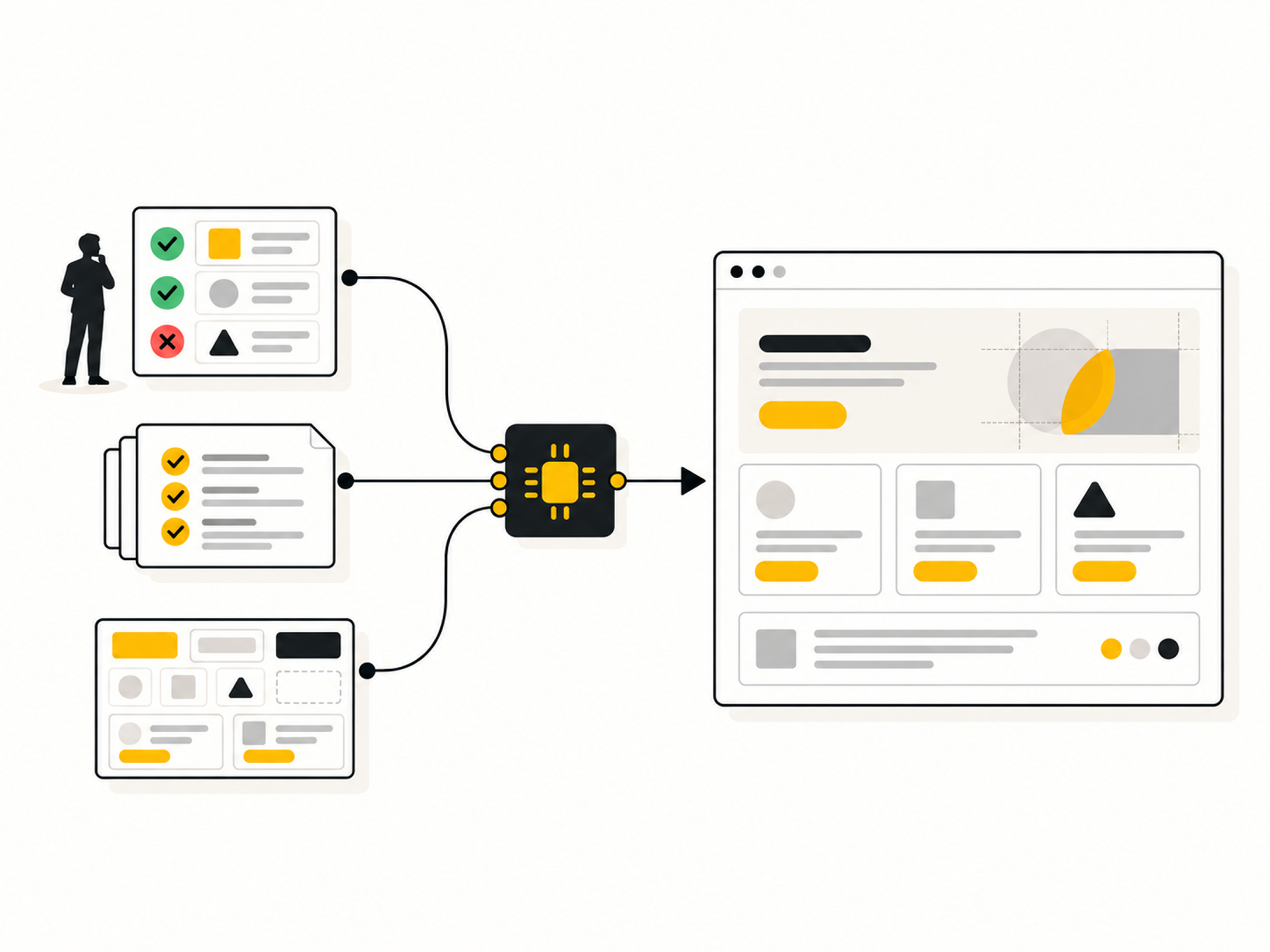
Making a Design System understandable by an AI is not just about giving it access to a Figma file.
Each source can have a specific role:
These resources outside of Figma are important because they formalize what is not always visible in the interface: why a component exists, in what context to use it, which practices to avoid, and which decisions require human validation.
Moreover, they are not just for artificial intelligence. They serve as a common reference for designers, developers, and anyone involved in using or evolving the Design System.
Each component can thus be described by a contract specifying its usage, variants, states, configurable properties, and accessibility requirements.
Documentation, therefore, does not just describe a component's appearance. It also clarifies its role, behavior, limitations, and the context in which it should be used.
An agent-friendly Design System does not mean that AI can freely modify components or product rules.
A serious approach includes:
The agent can thus accelerate production, documentation, and system expansion, while structural decisions remain under the team's control.
The greater the generation capacity, the more critical the quality of the provided framework becomes.
A properly structured Design System offers a dual benefit:
A company may already have experienced developers and primarily need a more explicit design framework, a better-documented component system, and a more autonomous production process.
When well-structured, a Design System becomes a common language between teams and the tools they use.
At DJM Lab, we don't just build products. We build success stories.